
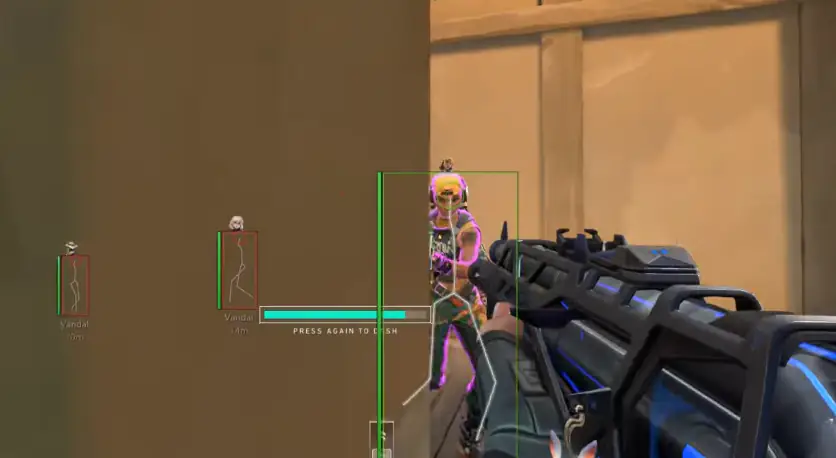
Valorant Cheats plans: monthly vs lifetime for Valorant
Compare $30 monthly, $60 for 3 months, and $150 lifetime plans for Valorant Cheats on Valorant before checkout.
Valorant Hack lists three USD plans on the store. Monthly access is $30 for 30 days (P30D). Three-month access is $60 for 90 days (P90D). Lifetime access is $150 (P99Y). All plans use the same listed feature set for Valorant on Windows PC. Shoppers who want to play with overlays should compare duration first, not invented extra modules.
A new season does not add a secret fourth plan. A new character does not unlock a hidden tier. The number 2 in Valorant names the live game, not an extra checkout SKU beyond monthly, 3-month, and lifetime. Riot Games’s game updates continue either way. This page is a duration guide, not a compatibility freeze and not a Riot Games affiliation claim.
What both plans include
Both plans point at the same listed modules: player ESP, hero ESP, objective ESP, radar, and optional aimbot tools. Feature lists are the same; duration is the difference. See the reviews checklist if you want evaluation points without invented quotes. Confirm live names on features before checkout.
- Same ESP, radar, and aim listing on every plan
- Monthly at $30 for 30 days
- 3 Months at $60 for 90 days
- Lifetime at $150 for a long access window
- Windows PC only
- Status still required after every patch
Choose monthly if you want to evaluate Valorant cheats for 30 days. Choose lifetime if you already know you want longer access. Neither choice removes Riot Vanguard notes. Neither choice includes console support.
| Plan | Price | Duration |
|---|---|---|
| Monthly | $30 | P30D |
| 3 Months | $60 | P90D |
| Lifetime | $150 | P99Y |
Cloud DMA and HWID Spoofer extras
Cloud DMA is a $50 one-time extra that runs with Valorant Cheats. HWID Spoofer is a $50 monthly or $150 lifetime extra on the same Windows PC. Keep aimbot, ESP, and radar on the overlay listing, and use these extras with that overlay. This site still does not describe them as undetected add-ons.
Do not expect a bundle discount in this article. Checkout shows current pricing. If a screenshot from another site shows extra SKUs, compare it with the store on this domain.
Game, play, and how to choose
If you play Valorant a few nights a month, monthly is the lower commitment. If you already finished a quiet ESP evaluation and you want the same modules for a long window, lifetime is the duration option. If you are still learning the roster, monthly plus the heroes guide is enough. If a new patch just dropped, wait on status before you pay at all.
Valorant ranks do not change the price. A higher rank does not require lifetime. A lower rank does not require monthly. Cosmetics on the skins page do not add plan perks. Valorant patch notes do not add plan perks either. Plans are access length for the listed Windows client.
What lifetime does not mean
Lifetime does not mean the game stops updating. Lifetime does not mean Riot Games will ignore third-party tools. Lifetime does not mean you skip Windows PC setup. Lifetime does not mean farming bots suddenly appear. If the vendor later changes listed modules, trust the store copy over this paragraph’s snapshot of names.
Monthly does not mean a weaker overlay. It means a 30-day window. When the window ends, you decide whether to buy again. That is the whole distinction. People overthink it because other shops invent six tiers. This listing has two.
Checkout order
Read features. Read status. Pick monthly or lifetime. Complete checkout. Keep the order email. Follow vendor setup notes for Riot Client. Enable a conservative ESP profile first. Add radar or aim only if you still want them. Save the profile. If you need help comparing language, the FAQ restates Windows-only and no-farming-bot limits.
A 30-day evaluation that actually tests the listing
If you pick monthly, use the 30 days on purpose. Week one: status, Windows PC setup, quiet player ESP only. Week two: add radar or hero ESP if you still want them. Week three: decide whether aimbot is even in scope. Week four: either stop or move to lifetime because you already know the module set. That schedule is how monthly earns its price. Launching every toggle on night one wastes the evaluation.
Play at least two modes. Control will stress label clutter. Escort will stress range. If you only play deathmatch-like playlists, you will not learn whether objective ESP matters to you. Valorant is several games in one client. A plan that looks fine in custom bots can feel noisy on a new season control map.
If you skip days because of travel, monthly still makes sense; unused days do not roll over on this page’s snapshot, so do not treat the 30-day window as a pause token. Use it while you actually play Valorant.
Lifetime as duration, not as a trophy
Lifetime is for people who already finished that evaluation, not for people who want a status symbol. It does not include extra Valorant skins, extra ranks, or a private Riot Games channel. Cloud DMA and HWID Spoofer extras run with Valorant Cheats on their own pages. If you are still unsure after reading Riot Vanguard notes, monthly is the calmer buy. You can always purchase lifetime later at whatever checkout shows then. If a new season lands during a monthly window, you still re-check status; duration never replaced that habit, and Valorant patch days do not pause because you paid.
When you are ready, open the store and compare monthly, 3-month, and lifetime Valorant Cheats access for Valorant, then continue to checkout for current pricing. This plans page exists so you do not confuse duration with extra wallhack, extra aimbot, or extra DMA and HWID listings. Three durations, one listed module set, Windows PC, and a status check after you pay.